
The Best Map App for Cycling in Korea (And the One Setting You Need to Know)

If you've tried using Google Maps to plan a bike ride in Korea, you already know the problem — it either puts you on a road that has no business being on a bike route, or it just doesn't work at all.
The app most cyclists in Korea actually use is Naver Maps. It's not perfect, but it knows Korea's bike infrastructure better than anything else available.
 NAVER Corp.
There's one thing you need to set up before it's actually useful, though — and most people miss it entirely.

The Setting Most People Don't Know About
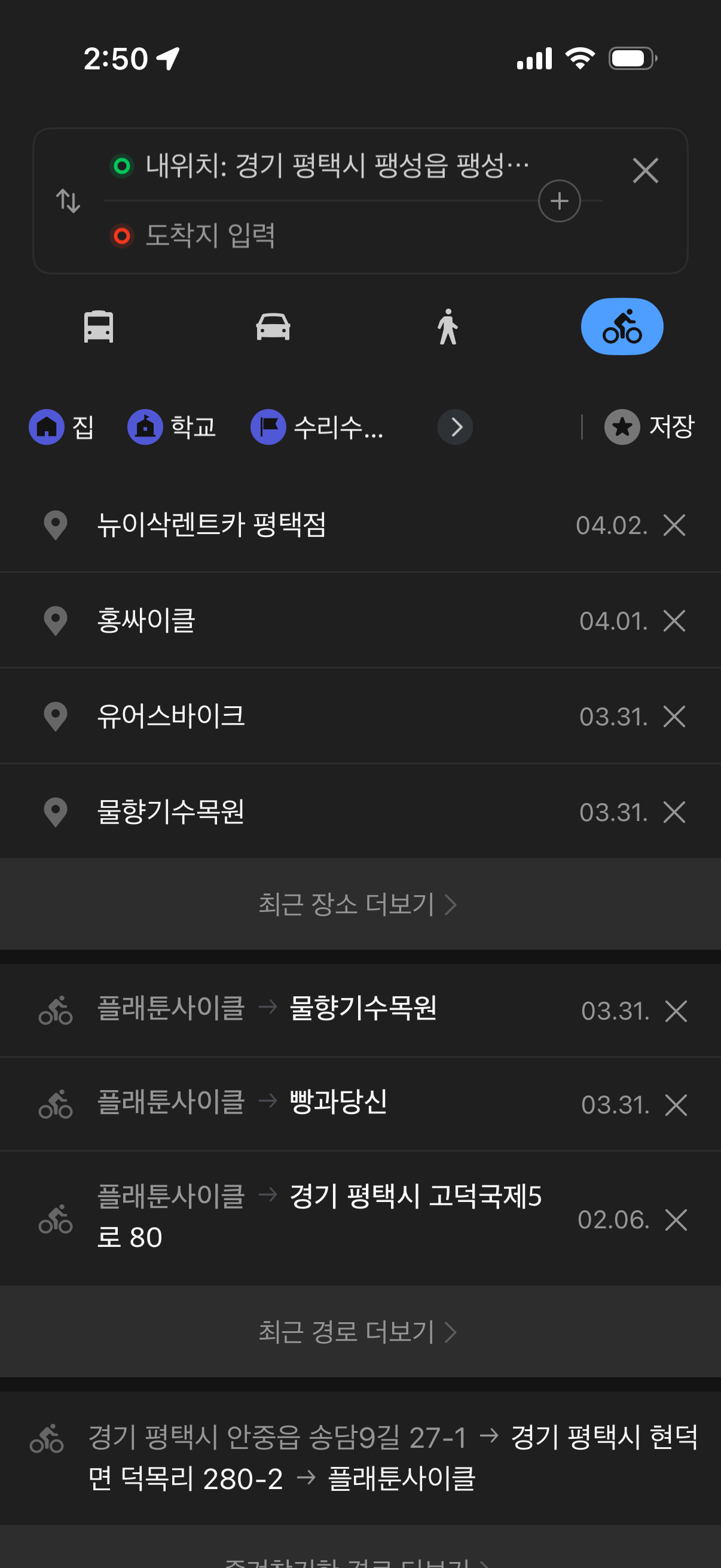
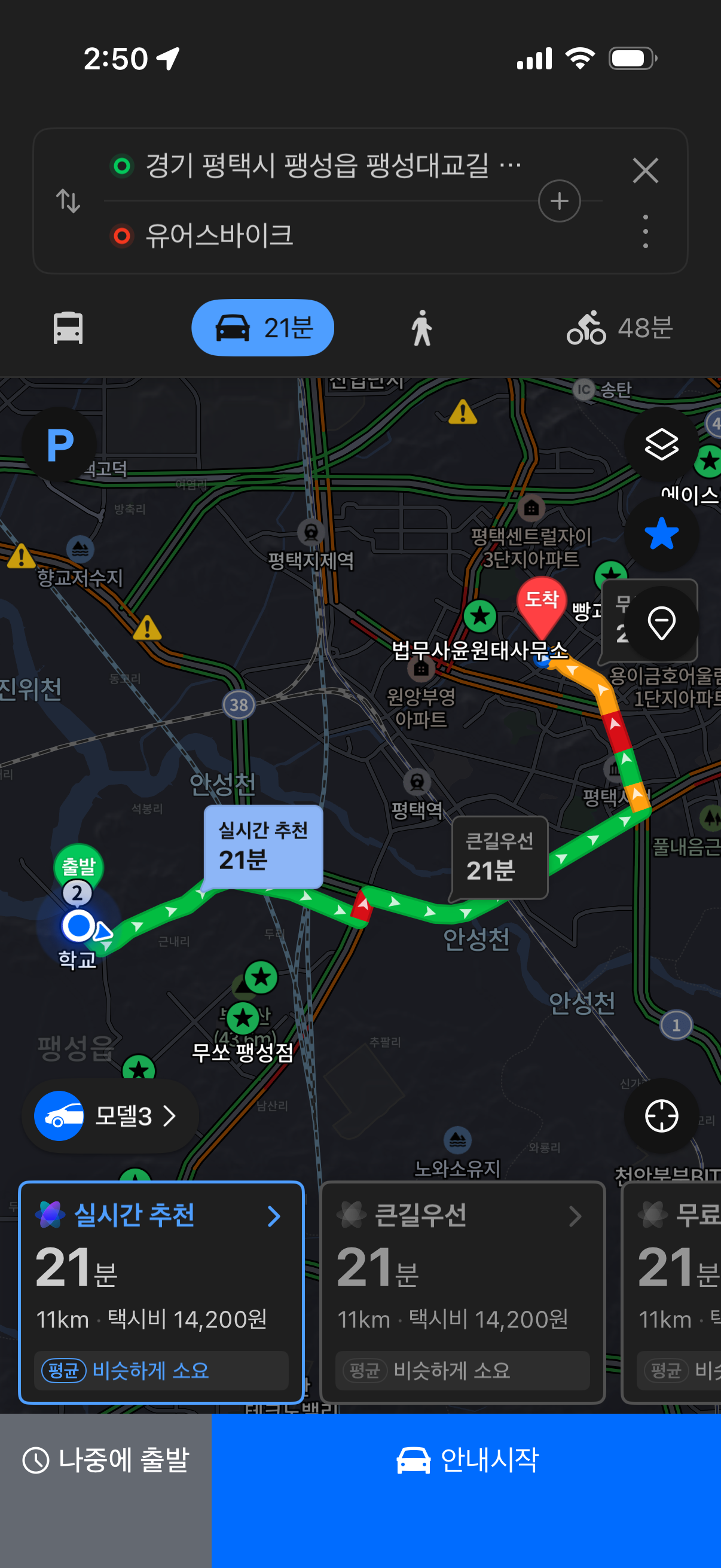
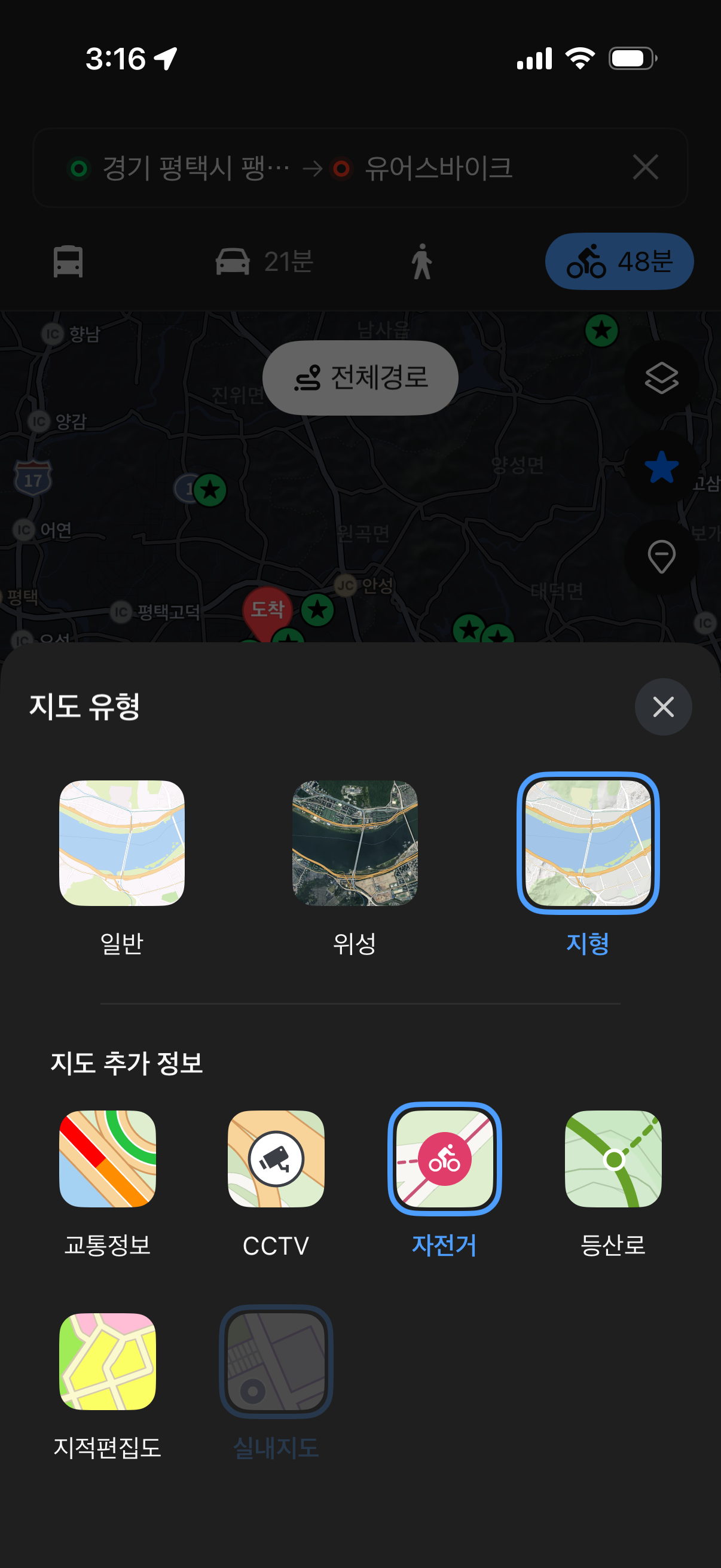
When you open Naver Maps and search for a destination, the default route is built for cars. But there's a transportation mode selector right at the top of the directions screen — subway, bus, car, walk, and bicycle.
Most people never tap it.
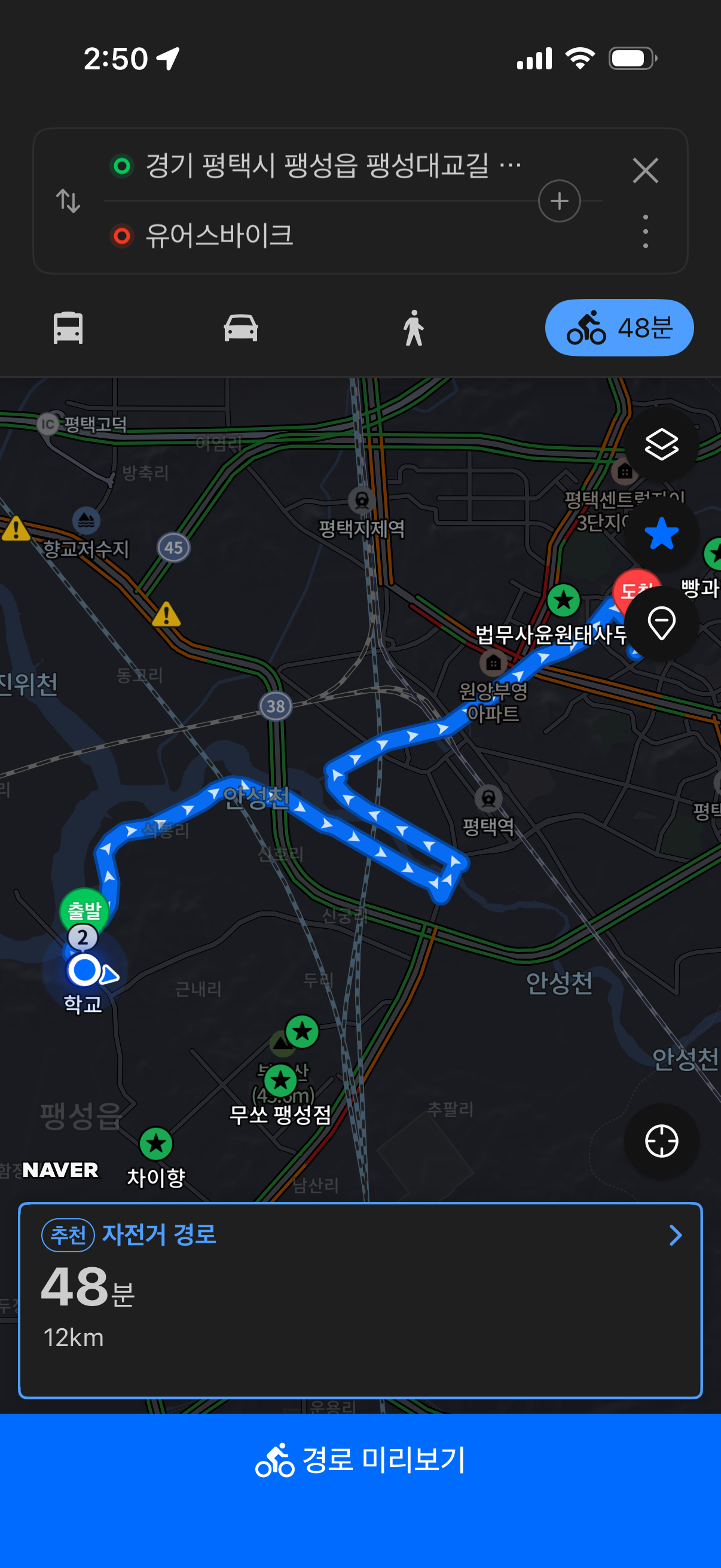
Switch it to the bicycle icon, and the route changes completely. Instead of roads, it routes you along dedicated bike paths. That one tap is the difference between riding on a highway shoulder and riding on a proper trail.
How to switch:
- Search your destination in Naver Map
- Tap 길찾기 (Directions)
- At the top of the screen, select the bicycle icon from the transport options
- The route rebuilds around bike-legal paths
Why It's Worth Using
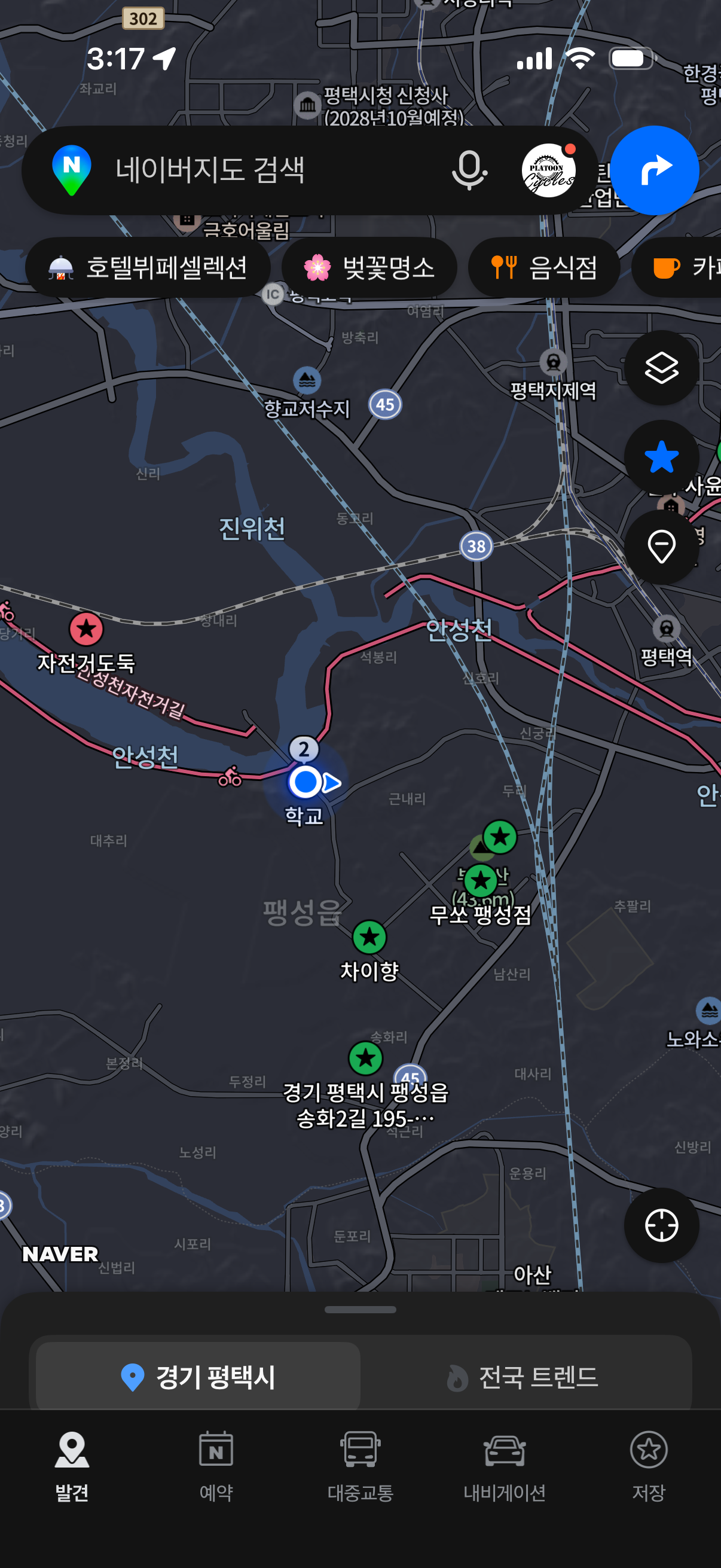
Korea has a serious cycling network — the Han River paths, the Four Rivers trails, the Gukto Jongju from Incheon to Busan. Naver Maps actually has this infrastructure mapped properly.
In bicycle mode, it:
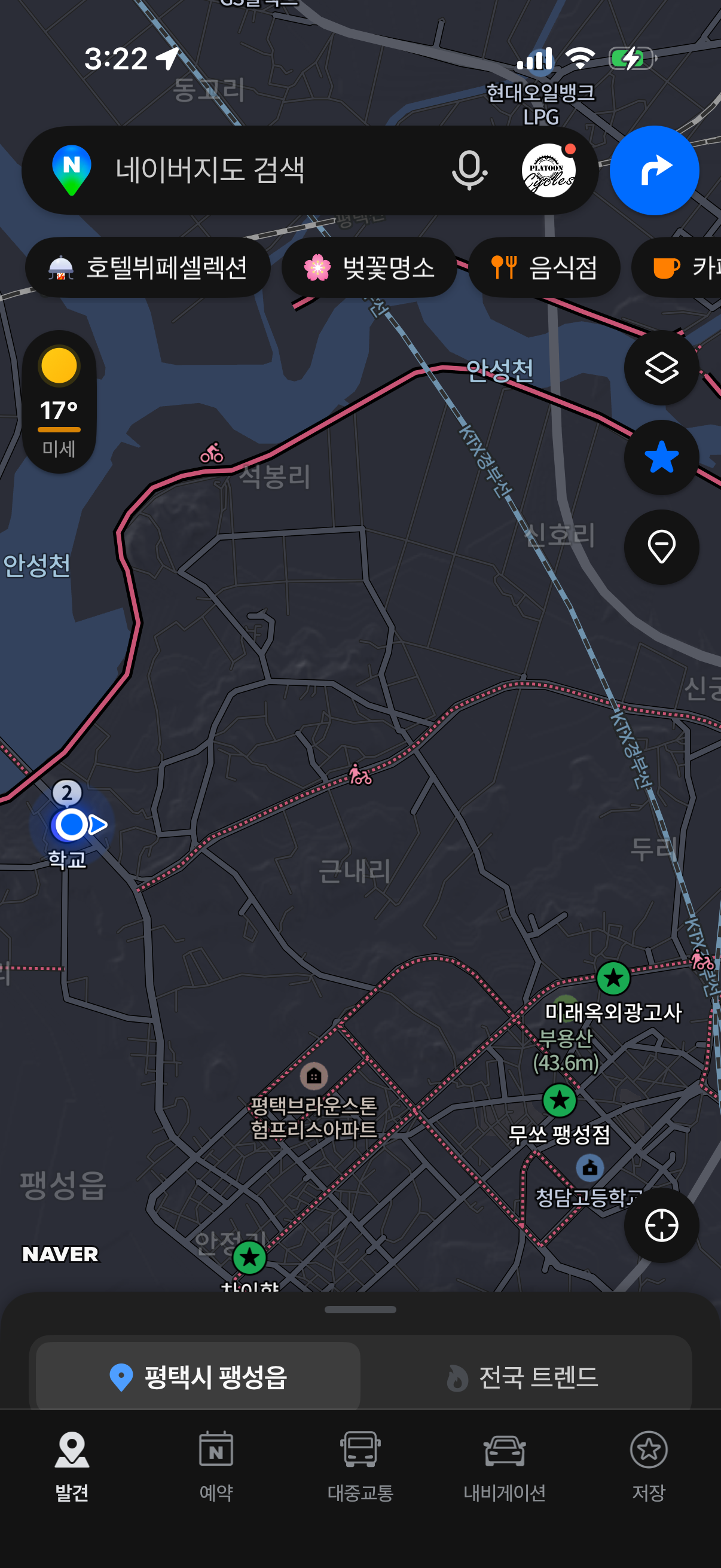
- Prioritizes dedicated bike paths over roads
- Calculates distance and time based on bike speed
- Shows elevation so you know what the ride actually involves
- Marks certification centers (인증센터) along major routes, useful if you're doing the Gukto Jongju or Four Rivers stamp tours
One Thing to Know
Voice navigation is in Korean only. The visual turn-by-turn works fine, but audio cues will be in Korean. For most riders it's not an issue — the two directions you'll hear most are 우회전 (right) and 좌회전 (left).
One More Thing — Don't Run It Like a GPS
It's tempting to mount your phone and run Naver Maps the whole ride like a car GPS. Don't.
With the screen on and navigation running continuously, your battery will be dead in 30–40 minutes. That's a problem halfway down a river trail with no convenience store in sight.
The better approach: check the route before you set off, get a feel for the general direction, then pull the phone out only at intersections or when the path splits. Most dedicated bike trails in Korea are well-marked — you don't need to stare at the screen the whole time.
Save the battery for when you actually need it.
Worth Downloading
Naver Map is free on both iOS and Android. If you're planning a longer route — a river trail, an overnight, or a cross-country section — stop by the shop. We can help you plan it out and flag anything worth knowing before you go.
NAVER Corp.
![What I Wish I Knew Before My First Cross- [Country Cross-Country Series #7 Final]](/content/images/size/w720/2026/03/20231001_180018-1.jpg)
![Navigation & Apps [Cross-Country Series #6]](/content/images/size/w720/2026/03/20231004_101950-1.jpg)
Comments ()